January 30, 2026
Concord, a minimal Discord app
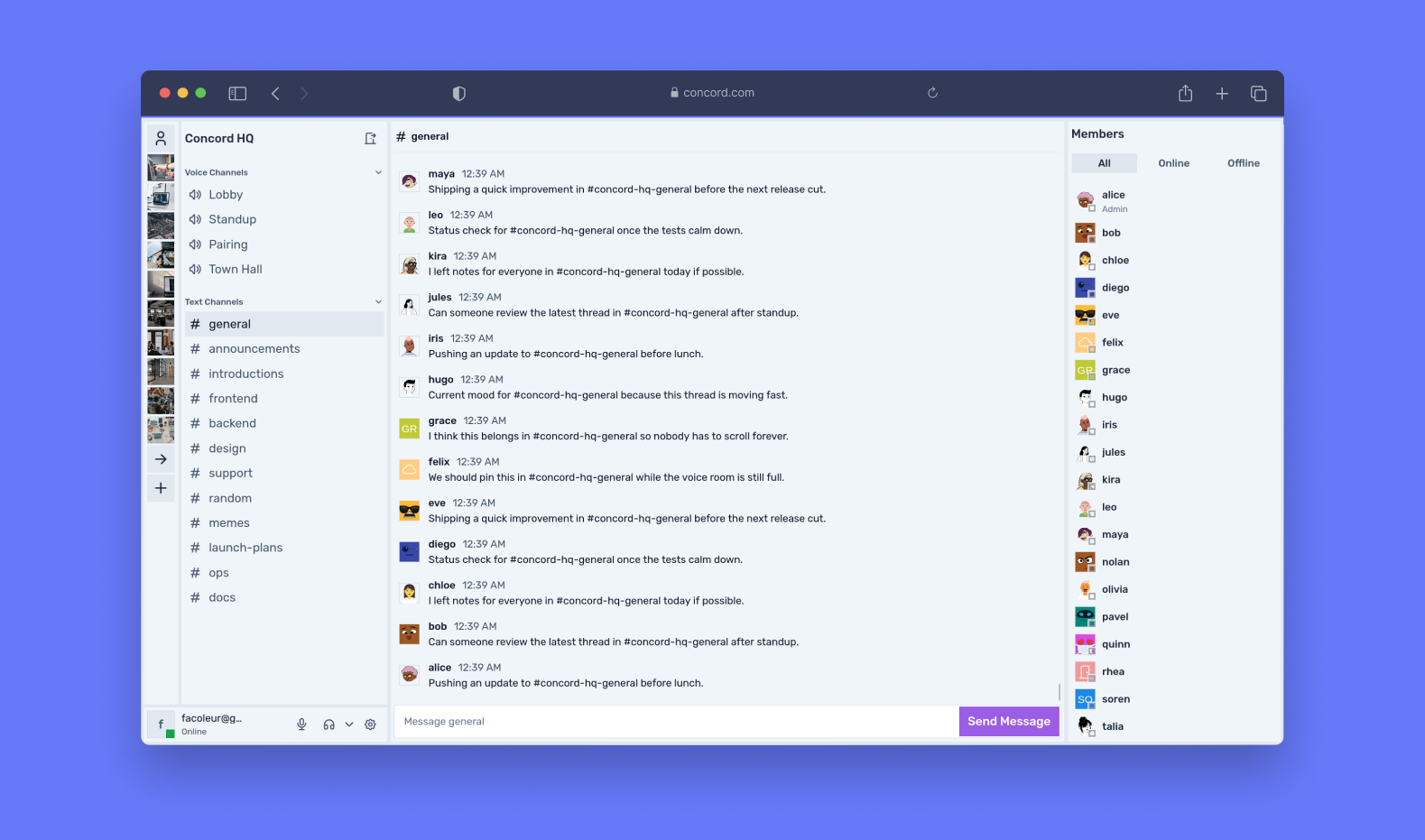
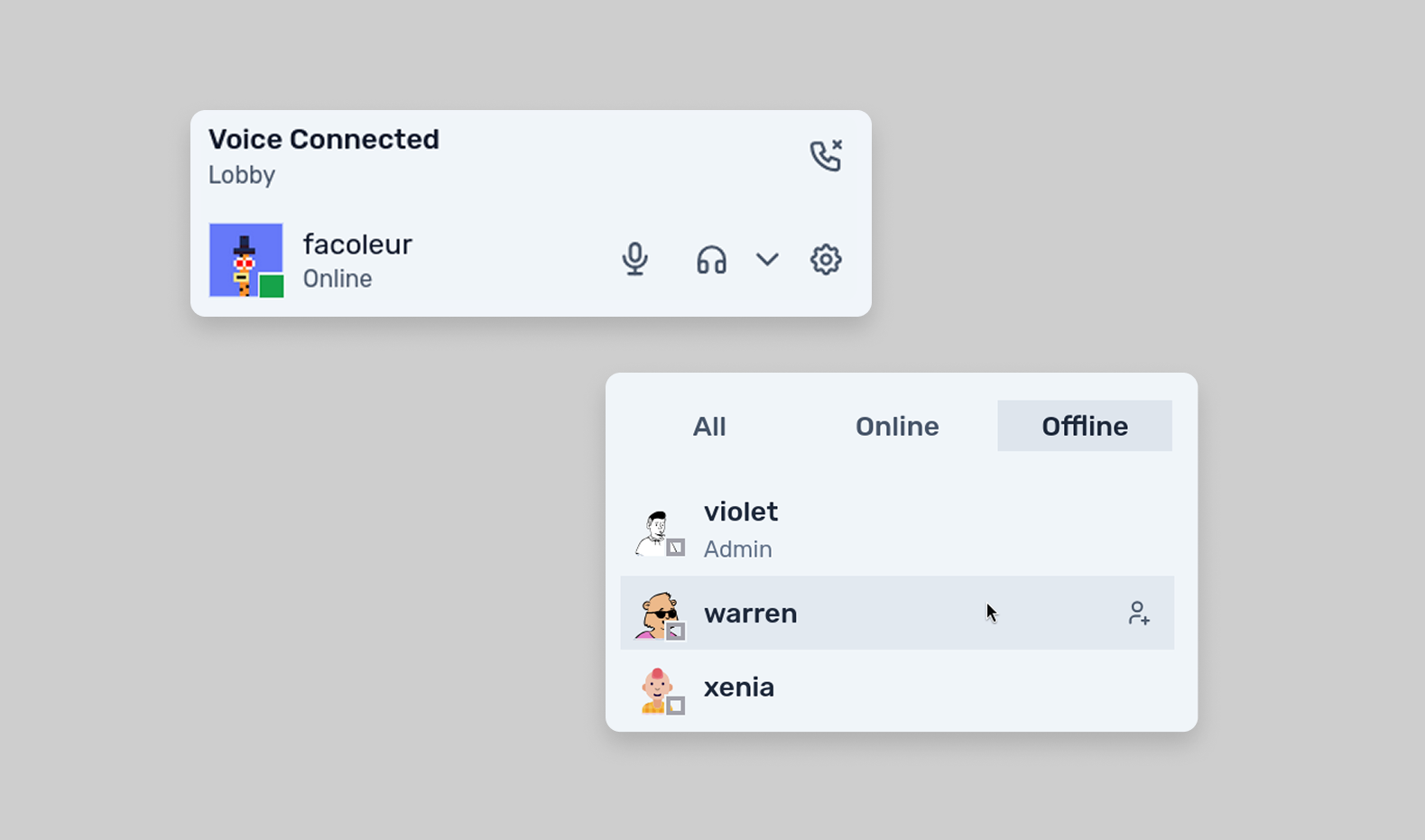
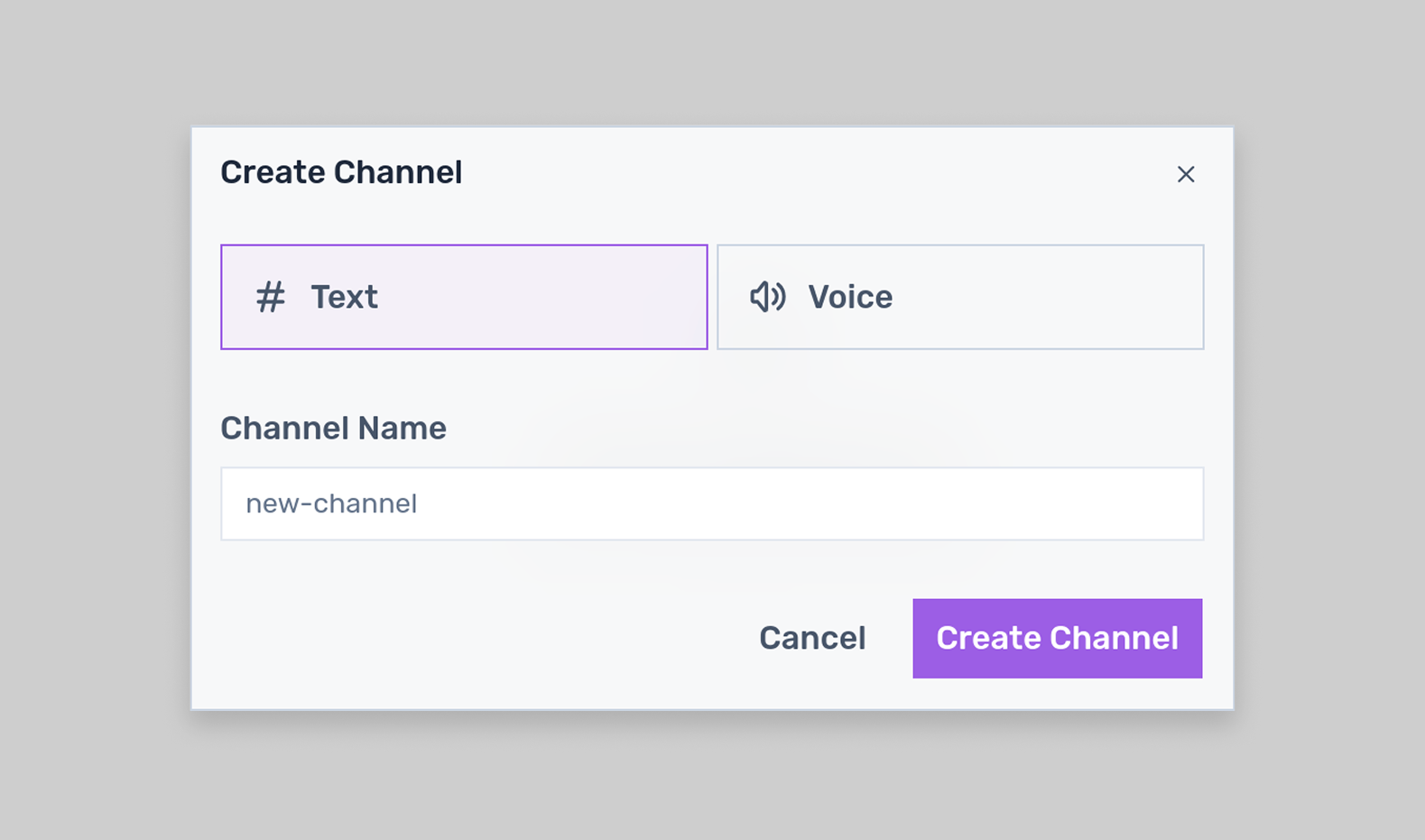
Concord was my final project at 42. We were a team of 4. We built a minimal Discord-inspired app with servers, channels, direct messages, voice rooms, friend requests, and realtime updates.
I took ownership of the frontend and product direction. My goal was simple: make a dense app feel fast, readable, and predictable.
What I focused on
Built to match Discord's feature set and layout, with seamless integration of a pre-existing backend and auth system. The main technical focus was designing a real-time architecture flexible enough to support new features without sacrificing code clarity or scalability.
The frontend work was mainly about:
- keeping API access consistent and modular with a single API layer and hooks
- making route structure scale with the product
- making everything realtime: presence, messages, voice, but also all CRUD operations: server updates, channel updates, friend requests, etc.
- designing components that still feel light in a complex interface
A single API layer
I started with a small fetcher that always sends credentials and centralizes request logic.
async function fetcher<T>(
  endpoint: string,
  options: RequestInit = {},
): Promise<T> {
  const { headers, body, ...rest } = options;

  const res = await fetch(`${BASE_URL}${endpoint}`, {
    credentials: "include",
    headers: {
      ...(body && { "Content-Type": "application/json" }),
      ...headers,
    },
    ...(body && { body }),
    ...rest,
  });

  return res.json();
}
Then I defined services on top of it for each domain: servers, channels, DMs, users, and friends.
export const api = {
  get: <T>(url: string, opts?: RequestInit) =>
    fetcher<T>(url, { method: "GET", ...opts }),
  post: <T>(url: string, body: unknown, opts?: RequestInit) =>
    fetcher<T>(url, { method: "POST", body: JSON.stringify(body), ...opts }),
  put: <T>(url: string, body: unknown, opts?: RequestInit) =>
    fetcher<T>(url, { method: "PUT", body: JSON.stringify(body), ...opts }),
  patch: <T>(url: string, body: unknown, opts?: RequestInit) =>
    fetcher<T>(url, { method: "PATCH", body: JSON.stringify(body), ...opts }),
  delete: <T>(url: string, opts?: RequestInit) =>
    fetcher<T>(url, { method: "DELETE", ...opts }),
};
Here is one example for friend-related endpoints:
export const friendQueries = {
  list: () => api.get<Friend[]>(`/users/me/friends`),
  detail: (friendId: string) =>
    api.get<FriendProfile>(`/users/me/friends/${friendId}`),

  pendingRequests: () => api.get<FriendRequest[]>(`/requests`),
  sendRequest: (targetUsername: string) =>
    api.post<void>(`/users/me/friends`, { targetUsername }),

  listSentRequests: () => api.get<FriendRequest[]>(`/users/me/requestsSent`),
  listReceivedRequests: () =>
    api.get<FriendRequest[]>(`/users/me/requestsReceived`),
};
This kept all endpoint logic in one place and avoided repeating credentials and headers across the app. It made it easy to update the endpoints, or update if the API logic changed. There was no need to update the hooks or components; only the service.
Hooks over direct fetching
Components usually did not call services directly. I wrapped them in hooks with React Query so loading, caching, and invalidation stayed consistent.
I used React Query for all data fetching, taking advantage of its caching and invalidation features, and its loading and error states.
I created a wrapper on useMutation for all API interactions that mutate data: useMutationForm.
It allowed me to centralize form validation, error handling, and invalidation logic for all mutations. This way, I can pass to this hook the schema for validation, the mutation function, the invalidation keys, the error messages, and the onSuccess callback, and the hook will take care of the rest. There is no need to repeat the same logic for every mutation.
For example, here is the hook for kicking a member from a server:
function useRenameChannel(
  channelId: string,
  serverId: string,
  { onSuccess }: { onSuccess?: () => void } = {},
) {
  const t = useTranslations("channel");

  const schema = useMemo(
    () => z.object({ name: z.string().min(1, t("validation.nameRequired")) }),
    [t],
  );

  return useMutationForm({
    schema,
    mutationFn: ({ name }) => channelQueries.rename(channelId, { name }),
    onSuccess,
    invalidate: [queryKeys.channels.byServer(serverId)],
    errorMessages: { 403: t("errors.rename.403") },
  });
}
And then the component layer stayed small:
function RenameChannelDialog() {
  const { submit, isPending, error } = useRenameChannel();

  return (
    <Dialog>
      <form onSubmit={submit}>{/* form fields */}</form>
      {error && <div>{error}</div>}
      <Button type="submit" disabled={isPending}>
        Rename
      </Button>
    </Dialog>
  );
}
That pattern made the UI easier to reason about because the data logic already lived elsewhere.
Routing that matches the product
Next.js routing worked especially well for this project. The app had multiple panels on screen at once, so parallel routes were useful for rendering the sidebar, main view, and members panel independently.
I also used route-specific sidebars:
// @sidebar/[serverId]/page.tsx
export default function ServerSidebar() {
  const { serverId } = useParams<{ serverId: string }>();
  const { data } = useServerDetail(serverId);

  return <ServerSidebar server={data} />;
}

// @sidebar/me/page.tsx
export default function MeSidebar() {
  return <MeSidebar />;
}
That made the layout easier to scale without building one large conditional tree.
function Layout({ children, sidebar, members }: Props) {
  return (
    <div>
      {/* @sidebar/page.tsx  */}
      {sidebar}

      {/* page.tsx  */}
      {children}

      {/* @members/page.tsx  */}
      {members}
    </div>
  );
}
Local state vs server state
I used React Query for server data and Zustand for UI-heavy local state. Voice was the clearest example: active room, participants, mute, deafen, and volume all needed to stay responsive without being tied to request lifecycles.
type AudioStore = {
  channel: ActiveVoiceChannel;
  participants: VoiceParticipant[];
  muted: boolean;
  deaf: boolean;
  volume: number;
};
Then the store itself:
const useAudioStore = create<AudioStore>((set, get) => ({
  channel: null,
  setChannel: (value) => {
    return set({
      channel: value,
    });
  },

  participants: [],
  setParticipants: (fn) =>
    set((prev) => ({ participants: fn(prev.participants) })),

  muted: false,
  deaf: false,
  volume: 1,

  setMuted: (value) => set({ muted: value }),
  setDeaf: (value) => set({ deaf: value }),
  setVolume: (value) => set({ volume: value }),
}));
And finally the component usage:
function VoiceChannel() {
  const {
    channel,
    setChannel,
    participants,
    setParticipants,
    muted,
    setMuted,
    deaf,
    setDeaf,
    volume,
    setVolume,
  } = useAudioStore();

  // ...
}
That split kept the architecture clear: server data on one side, interaction state on the other.
i18n (internationalization)
I used next-intl for translations.
One challenge with i18n is that by default every key would live in {locale}.json.
But I wanted a scalable way to organize translations by feature, so I found a script to generate namespaces from the file structure. That let me create files like {feature}.json and import only the relevant keys in each component.
Realtime updates
Because the app relied heavily on chat and voice, realtime behavior mattered. WebSocket events were used to keep messages, presence, and voice-related updates synchronized without forcing constant manual refreshes.
We used socket.io for the WebSocket implementation. The client listened to events for message creation, updates, deletions, presence changes, and voice channel updates.
Design direction
This was not a UI/UX exploration project. The goal was to stay minimal, classic, and easy to use while we focused on product behavior and frontend architecture.
The layout stayed intentionally close to Discord: a familiar multi-panel layout, very little decorative UI, and a structure that puts the content first.
The system was deliberately simple:
- light gray palette
- Rubik for typography
- sharp edges with no rounding
- minimal visual noise
The stack was straightforward: Tailwind CSS, Shadcn, and reusable components.
Static pages
For legal pages and simple static content, I used MDX so those pages could be written as content while still embedding React components when needed.
Outcome
Concord was a good test of how I like to build products: start from structure, reduce repetition early, and keep the frontend understandable even when the app gets busy.